I keep my Kali Linux machine tucked away on its own little subnet, wired into a second router that itself hangs off the main house network. That isolation is on purpose: the lab stays separate from the phones, TVs and everyone else’s traffic. But it raises an obvious question:
If the Kali box is behind its own router, can I still reach it from my MacBook on the main Wi-Fi, SSH straight in, and from there launch a Hack The Box session without ever touching the machine physically?
Short answer: yes. This post is the walk-through, including the one networking gotcha that trips everyone up the first time: double NAT.
Scope / ethics: everything here is my own hardware, my own home network, and my own Hack The Box subscription. SSH and HTB are being used exactly as intended, remote admin of a machine I own, and authorized practice on a platform built for it.
The setup
Here’s the layout. Two routers, two subnets, one goal:
                                 ┌──────────────────────────┐
   MacBook Air (Wi-Fi)           │   Main router            │
   192.168.0.227  ───── Wi-Fi ───┤   192.168.0.1            │
                                 │   Network: 192.168.0.0/24 │
                                 └──────────┬───────────────┘
                                            │ (cable, WAN side)
                                 ┌──────────┴───────────────┐
                                 │   Router 2               │
                                 │   WAN: 192.168.0.138     │  ← its IP on the main net
                                 │   LAN: 192.168.1.1       │  ← its own subnet
                                 │   Network: 192.168.1.0/24 │
                                 └──────────┬───────────────┘
                                            │ (cable)
                                   Kali Linux PC
                                   192.168.1.144  (user: cabuya)
The Mac (192.168.0.0/24) and the Kali box (192.168.1.0/24) are on different subnets,
separated by Router 2 doing its own NAT. The Mac can’t just “see” the Kali box, from the
main network’s point of view, Router 2 is a single device and everything behind it is hidden.
Part 1 — Turn on SSH on the Kali box
Kali ships with an OpenSSH server that’s off by default. Enable and start it:
sudo systemctl enable --now ssh
sudo systemctl status ssh      # should say "active (running)"
Quick local sanity check (from the Kali box itself):
ss -tlnp | grep :22 # confirms sshd is listening on port 22
On my box that returned:
LISTEN 0 128 0.0.0.0:22 0.0.0.0:*
0.0.0.0:22 means sshd is listening on every interface (including eth0,
192.168.1.144), exactly what the port forward needs to hand off to.
Part 2 — The double-NAT problem, explained
Normally, to reach a device on your LAN you just use its IP. But the Kali box isn’t on the
Mac’s LAN, it’s one NAT layer deeper. From the main network, traffic can reach Router 2’s
WAN IP (192.168.0.138), but Router 2 won’t forward anything inward unless we tell it
to. That’s exactly what port forwarding is for.
The plan:
- Pin the Kali box’s IP so it never changes (DHCP reservation).
- On Router 2, forward an external port to the Kali box’s port 22.
- From the Mac, SSH to Router 2’s WAN IP on that external port.
I chose port forwarding over the alternatives (putting Router 2 in bridge mode, or using an overlay like Tailscale) precisely because I want to keep the subnet isolation, that’s the whole reason the lab is back there.
Part 3 — Pin the IPs so nothing breaks later
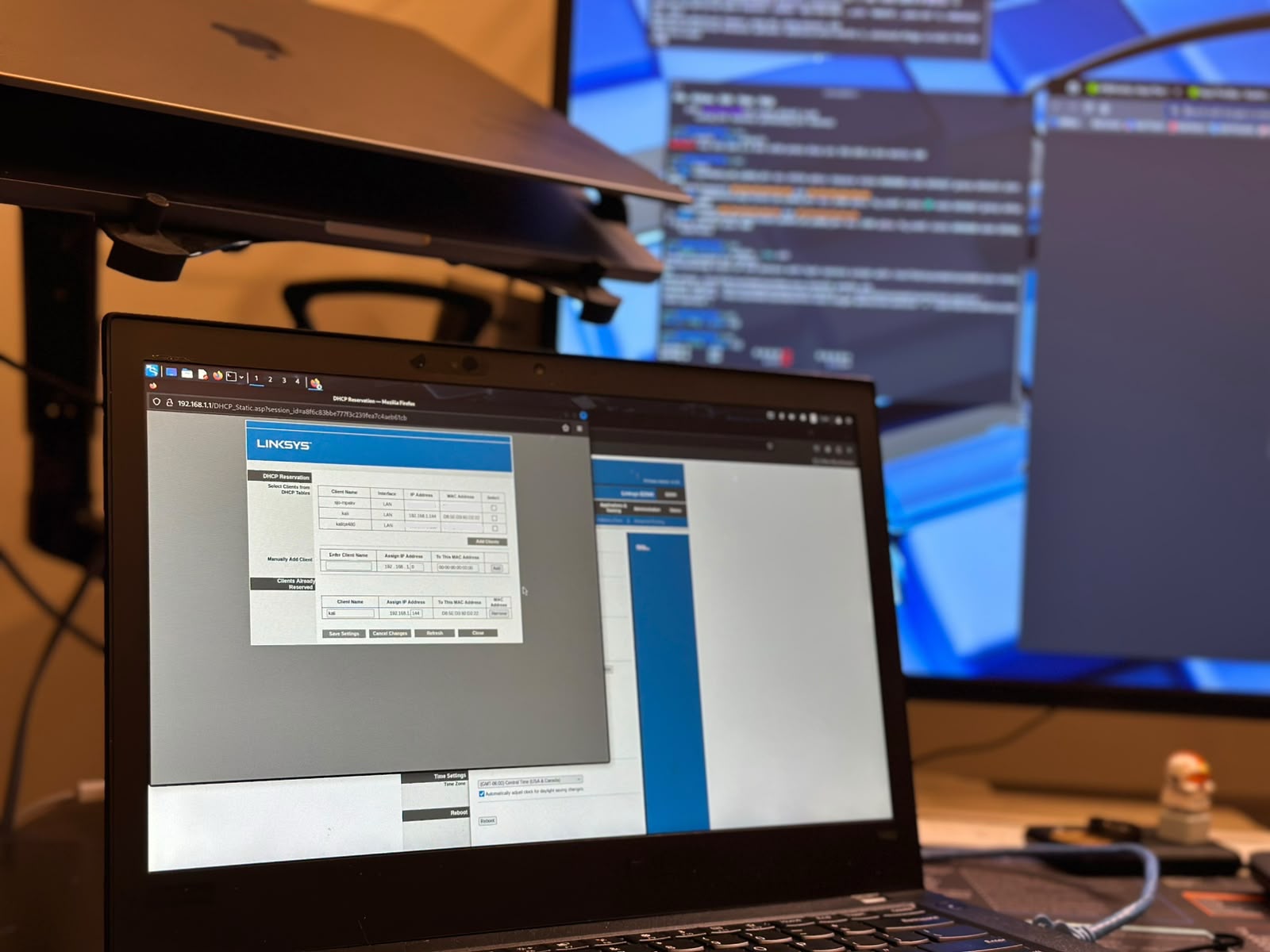
Port forwarding points at a specific IP, so if that IP changes on a reboot, the rule silently breaks. Two one-time fixes:
- Kali’s LAN IP → add a DHCP reservation on Router 2 for the Kali box’s MAC
(
d8:5e:d3:91:d2:22), so it always gets192.168.1.144. - Router 2’s WAN IP → add a DHCP reservation on the main router for Router 2’s WAN MAC, so the address I SSH to stays put. (Optional, but saves surprises.)
Do this once and the whole thing becomes set-and-forget.
Part 4 — Forward the port on Router 2
In Router 2’s admin page, under Port Forwarding (sometimes “Virtual Server” / “NAT”):
| Field | Value |
|---|---|
| External / WAN port | 2222 |
| Internal IP | 192.168.1.144 |
| Internal port | 22 |
| Protocol | TCP |
Using a non-default external port like 2222 is a small good habit, fewer collisions,
slightly less noise. Save and (if the router asks) reboot it.
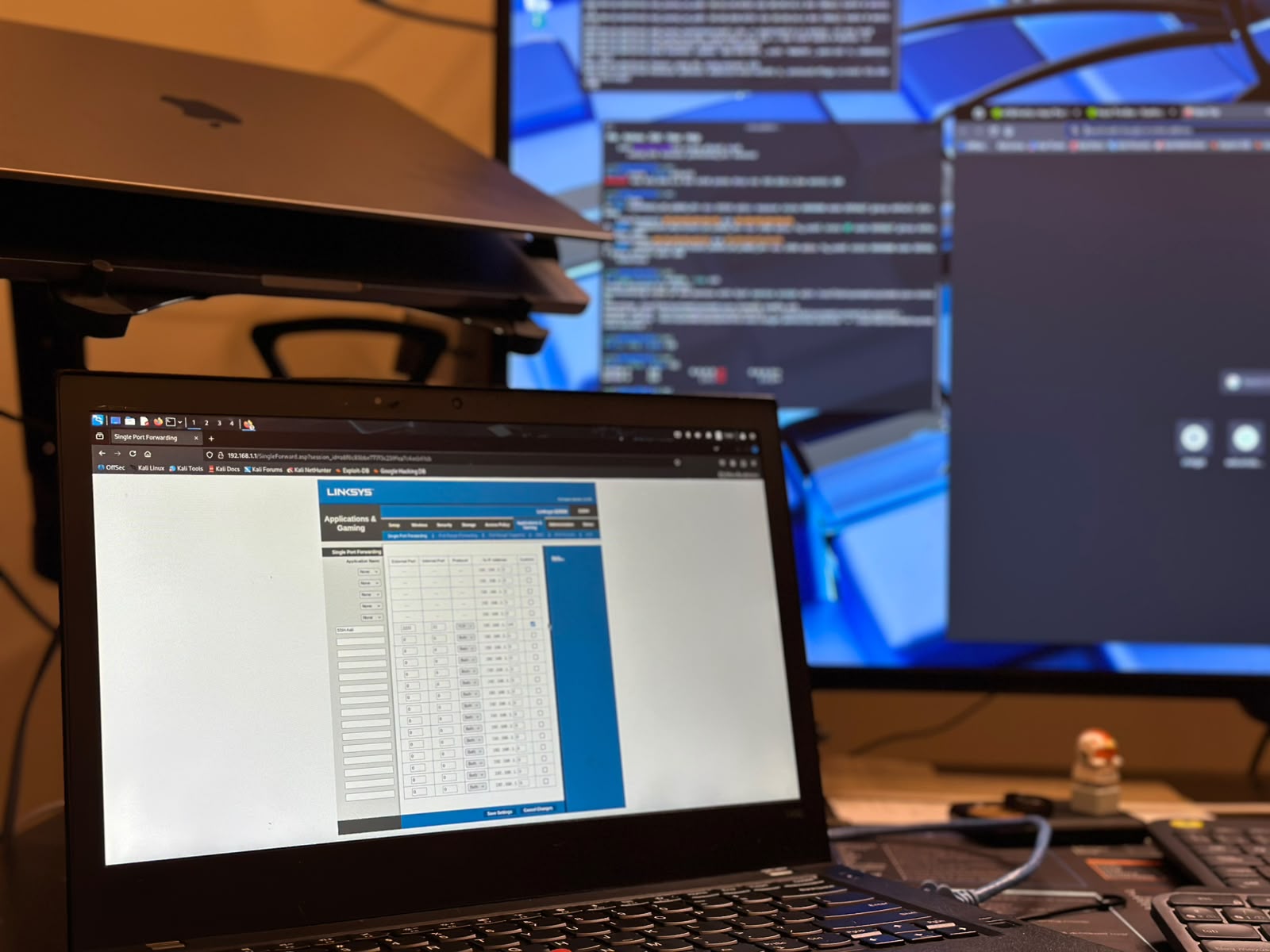
On the E2500 specifically this lives under Applications & Gaming → Single Port Forwarding, not “Port Range Forwarding”, which would force the external and internal ports to match and defeat the
2222 → 22remap.
Part 5 — SSH in from the Mac
Moment of truth, from the MacBook on the main Wi-Fi:
ssh -p 2222 cabuya@192.168.0.138
First connection will ask to trust the host key (yes), then the password. If you plan to
do this often, drop in a key and a shortcut:
# one-time: copy your public key so no more passwords
ssh-copy-id -p 2222 cabuya@192.168.0.138
# ~/.ssh/config  — then you can just run:  ssh kali
Host kali
    HostName 192.168.0.138
    Port 2222
    User cabuya
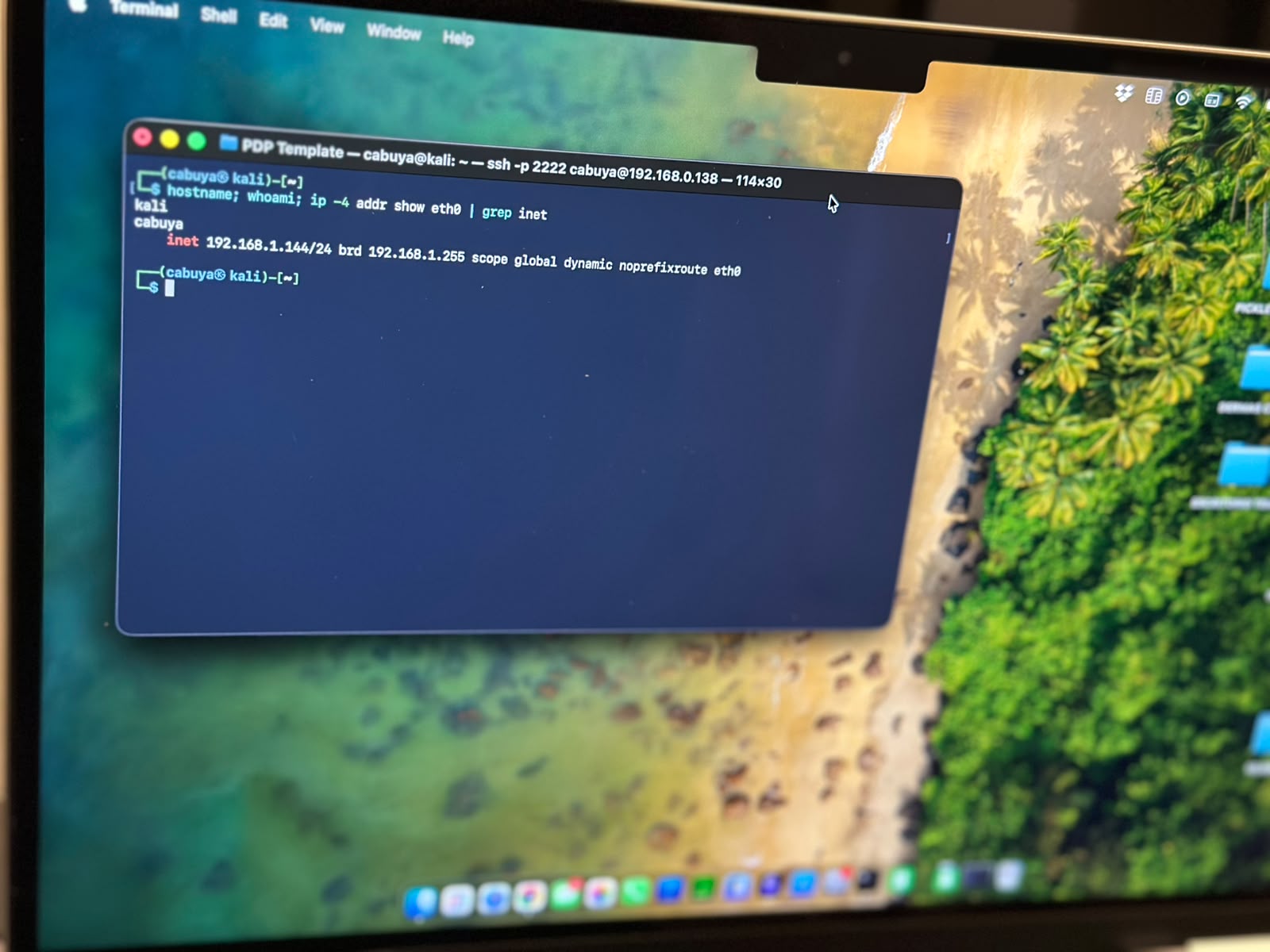
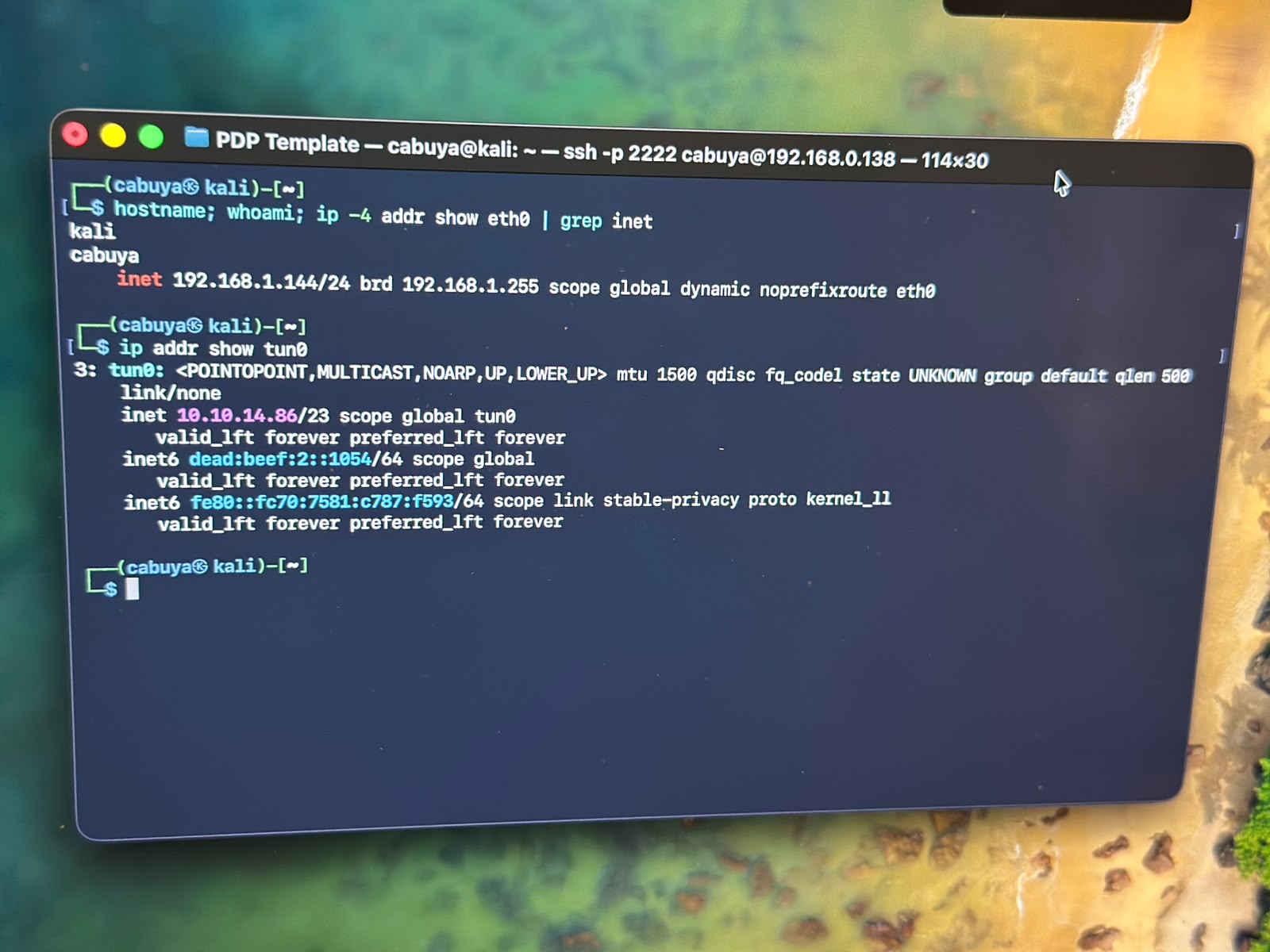
There it is: hostname says kali, whoami says cabuya, and eth0 sits at
192.168.1.144 — a machine on the 192.168.1.0/24 subnet, reached from a Mac on
192.168.0.0/24, straight through the double NAT.
Part 6 — Into Hack The Box, from the terminal
Now I’m on the Kali box, driving it entirely over SSH. Connecting to HTB is a normal outbound connection, so the double-NAT setup doesn’t get in the way at all, the port forward only governs traffic coming in to the Kali box, not what it dials out.
This is HTB Labs, which you reach over OpenVPN. Grab your connection pack (the .ovpn
file) from the HTB site, get it onto the Kali box, and bring the tunnel up, all from the
same SSH session:
# from the SSH session on Kali:
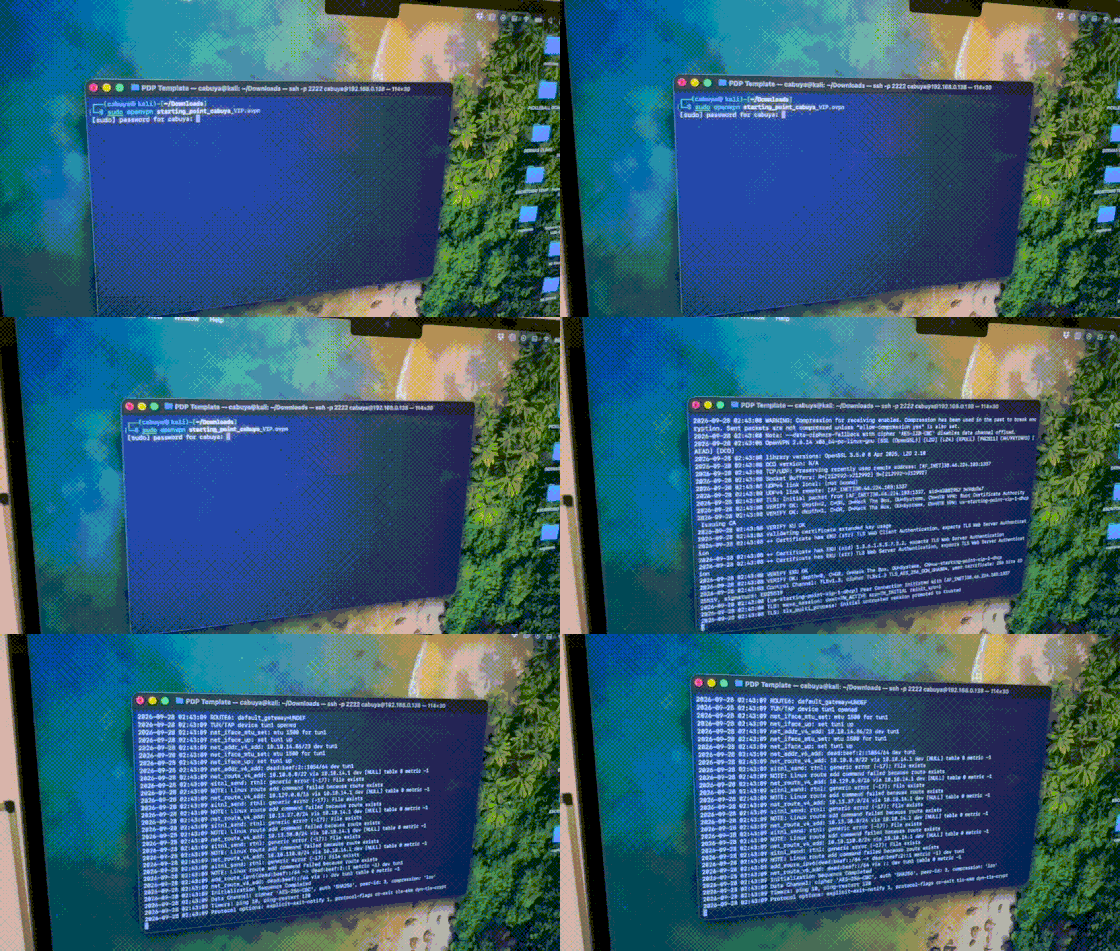
sudo openvpn starting_point_cabuya_VIP.ovpn   # brings up the tun interface
Here’s the whole thing in motion — I’m on the Mac, SSH’d into the Kali box, watching OpenVPN negotiate and finish with Initialization Sequence Completed:
Then confirm the interface and reach a target:
ip addr show tun0            # confirm the VPN interface is up
ping 10.129.95.232          # a live HTB machine — reachable through the tunnel
The tun0 interface pulled 10.10.14.86/23, a 10.10.x.x address of a HTB
Labs VPN. That’s the proof the whole chain works: I’m typing into a Kali box on its own
subnet, over SSH, from a Mac on a different subnet, and that Kali box is simultaneously live
on the HTB network, pinging a target at 10.129.95.232.
A nice touch: run the VPN inside tmux so it survives if the SSH session drops.
Troubleshooting notes
- SSH just hangs / times out → the forward isn’t reaching Kali. Recheck the internal IP in the rule vs. Kali’s actual IP; confirm sshd is running.
- “Connection refused” → you reached Router 2 but nothing is listening; wrong internal port or sshd down.
- Works once, breaks after a reboot → an IP drifted; that’s what the DHCP reservations in Part 3 prevent.
Takeaways
- Double NAT isn’t a wall, it’s just a layer you have to explicitly poke a hole through.
- One forwarded port + two DHCP reservations = permanent, low-maintenance remote access, with the lab subnet still isolated.
- Once you’re in over SSH, the machine is fully yours from anywhere in the house -HTB and all-, no monitor, no keyboard, no walking over to it.
Setup: MacBook Air (main Wi-Fi) · Kali Linux (wired, behind Router 2) · OpenSSH · OpenVPN · Hack The Box All on my own network and my own HTB subscription.